 Use USE
 Sun hours SUN HOURS
 Density DENSITY
 Age AGE
 Green space & water GREEN
 Roads ROADS


37.5636 N · 126.9850 E · r 500 m
Site
Search an address or click the map. Parcels and boundaries work too.
Site overview
Site area, zoning and limits for the chosen site, with figures for the area around it. Draw a section line on the plan in the Section tab below.
Diagrams
Recolour any panel; toggle use/age categories individually.
When you use these diagrams, include this line.
Analysis
3D massing, sun and shadow, wind, thermal comfort and building mix for the same site and radius.
3D massing, sun and shadow, wind, thermal comfort, section and building mix need a large screen and run calculations, so they don't open on a phone.
- Address
- sitedia.app
- Site
Open this address on a computer, search the same site and make the diagrams.
Log in with the same account on your computer and it opens from ☆ My places.
Building mass
Uses the site, radius and shape picked above; clipped at the boundary.
Drag to orbit · wheel to zoom · right-drag to pan.
Colours and on/off by category
Buildings with no height or floor count are not built, so the count is lower than the flat panels. More →
Sun & shadow
Sun path and shadows on the same model as the mass view. Build the mass first.
Drag to orbit · wheel to zoom · right-drag to pan.
Sun position is calculated from the site's latitude and longitude (GMT, no British Summer Time). Only standing buildings cast shadows — this is not a daylight and sunlight (BRE) assessment. More →
Wind
A wind rose for the nearest weather station — how often and how strongly the wind blows from each of 16 directions. These are observed frequencies, not a simulation.
GPU lattice-Boltzmann (LES), prevailing direction only — an early-design reference, not a validated wind microclimate assessment. Terrain comes from elevation data; trees are not in the model, and buildings with no known height are left out.
Regional wind from a station several km away, not measured on this site — use it to read the prevailing direction and season. More →
Thermal comfort
UTCI — how hot it actually feels where a person stands. Air temperature and humidity come from the weather file, wind from our own simulation, and sun and shade from the building model.
UTCI combines air temperature, humidity, wind and radiation into one felt temperature. 9–26 ℃ is comfortable; heat stress starts at 32 ℃.
Trees are assumed to be 8 m tall and pedestrian-level wind uses the 6 m value — compare places rather than quoting the numbers. More →
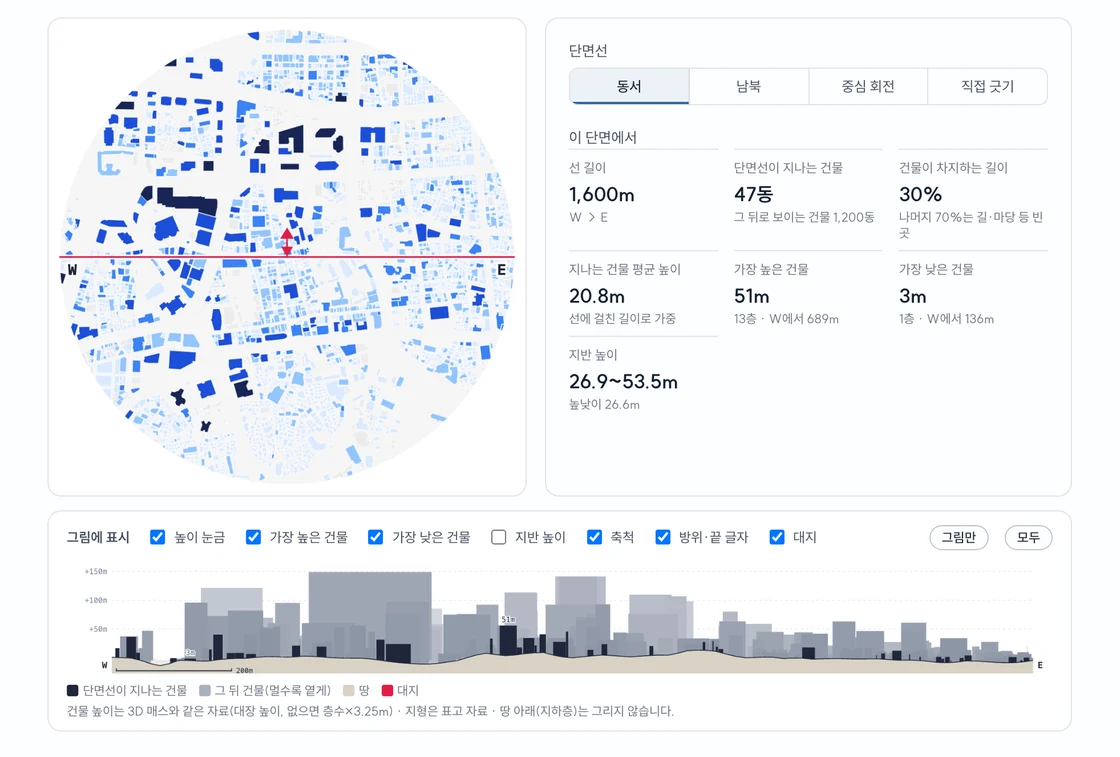
Section
Draw a section line on the plan to cut a section and skyline right below it. Vertical scale 1:1.
Click or drag on the plan to move the section line there.
Buildings cut by the lineBuildings behind (lighter = farther)GroundSite Building heights use the same data as the 3D massing · terrain from elevation data · nothing below ground (basements) is drawn.
Breakdown
How many buildings, and what share. Same data as the diagrams above — colours follow the palette you set there.
Guides View all · FAQ
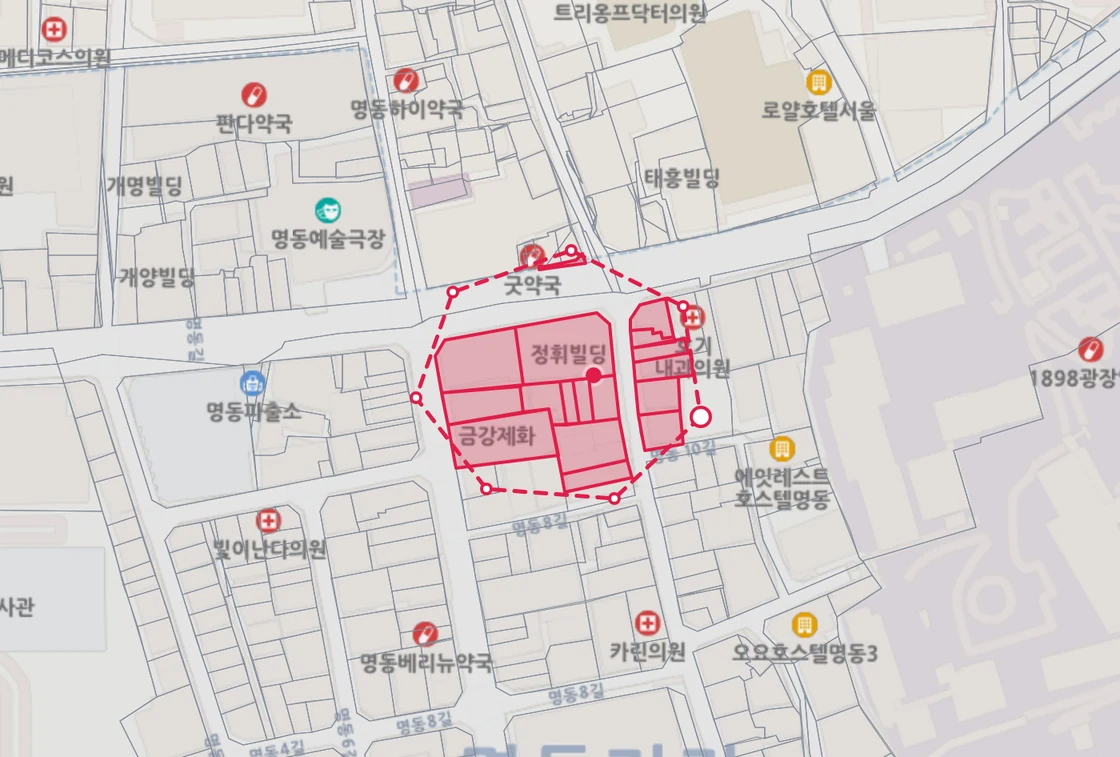 Lasso several parcels
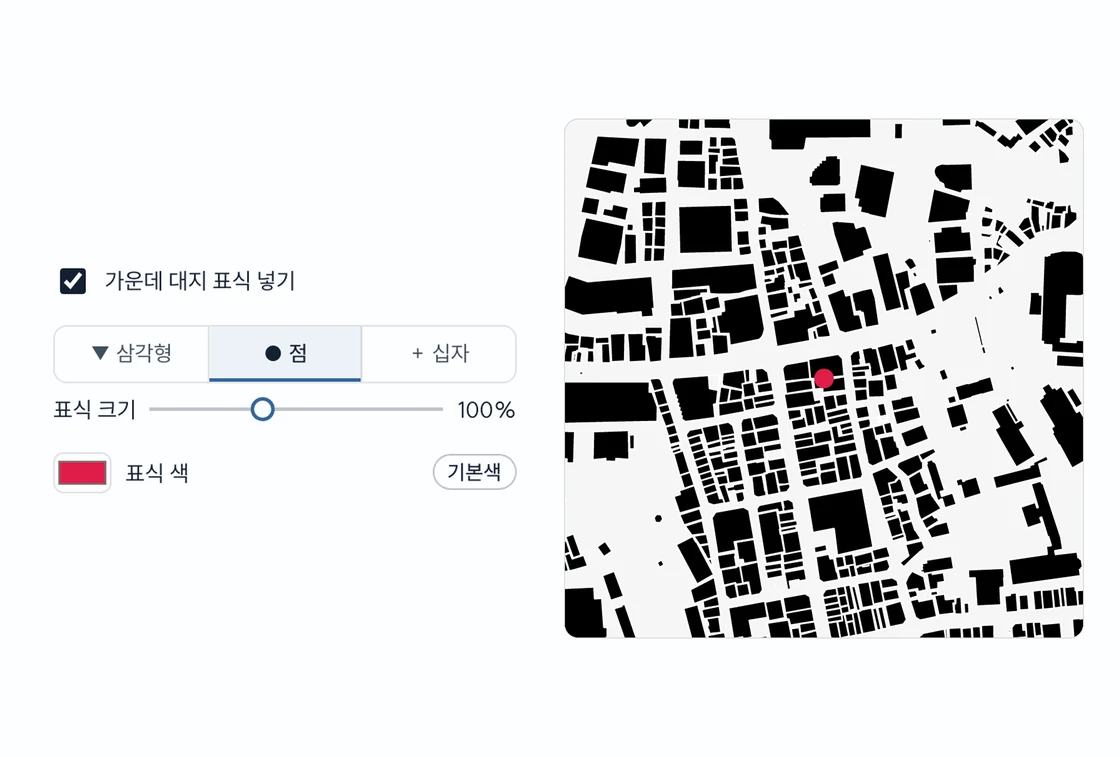 Centre site marker
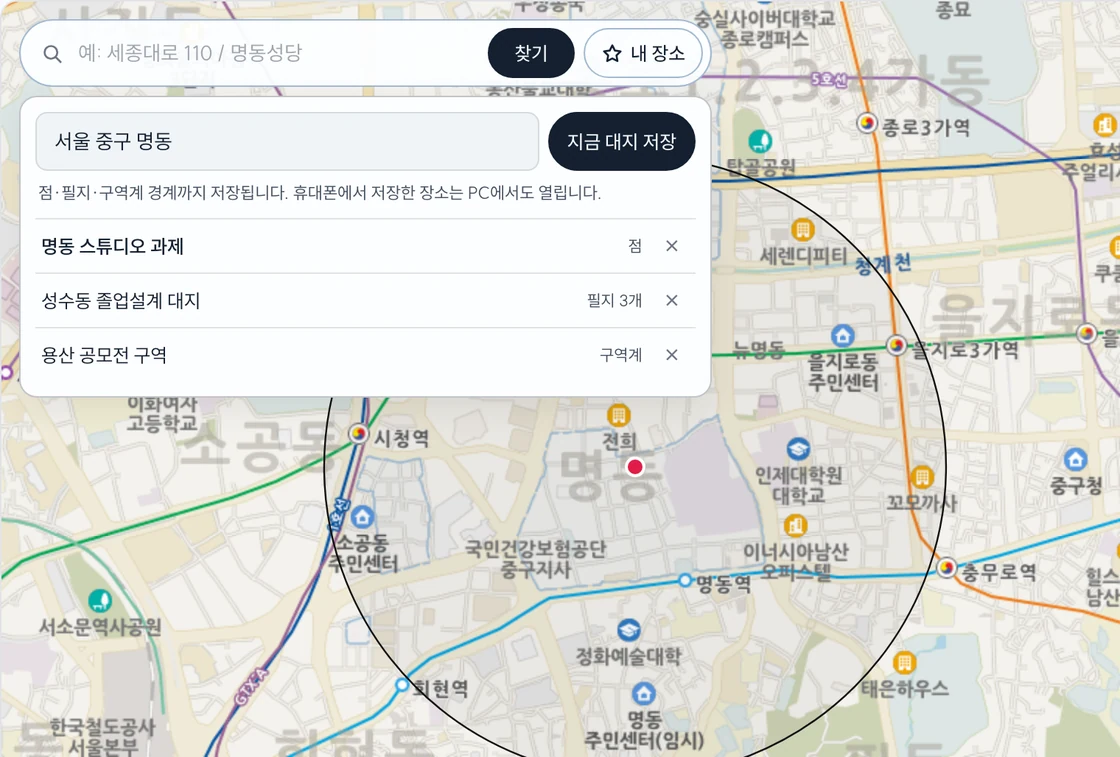 My places
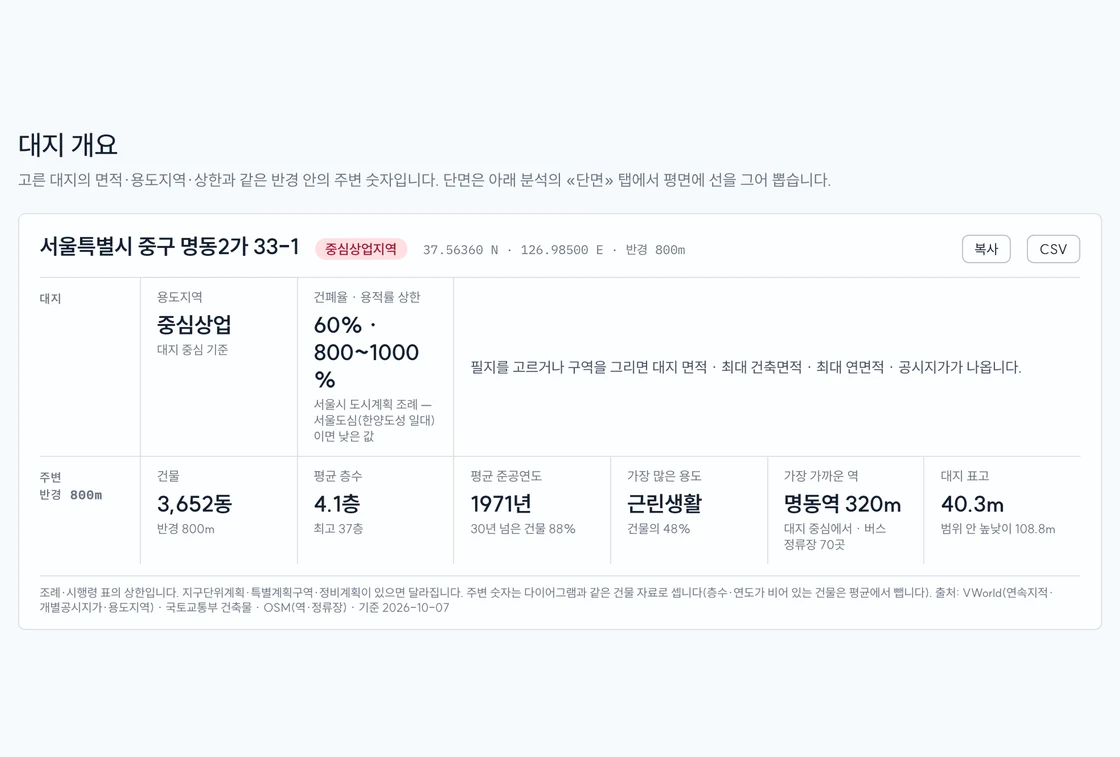 Site overview
 Analysis 05 · Section